

The Platform · For Reps
What a Rep sees.
Five screens a Rep works from every week.
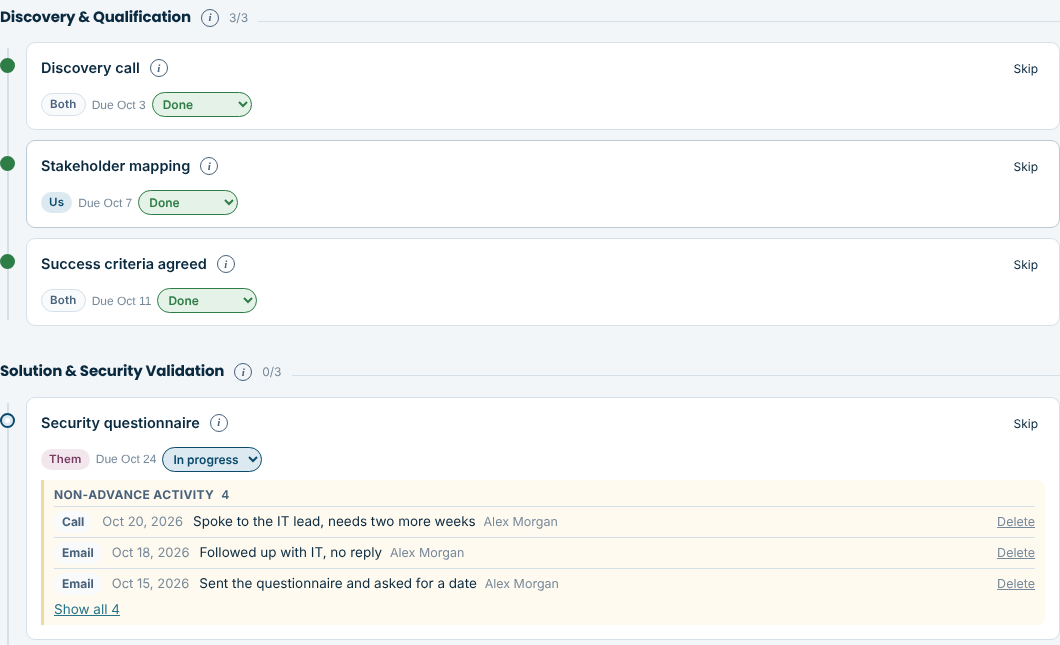 1 · My Plans
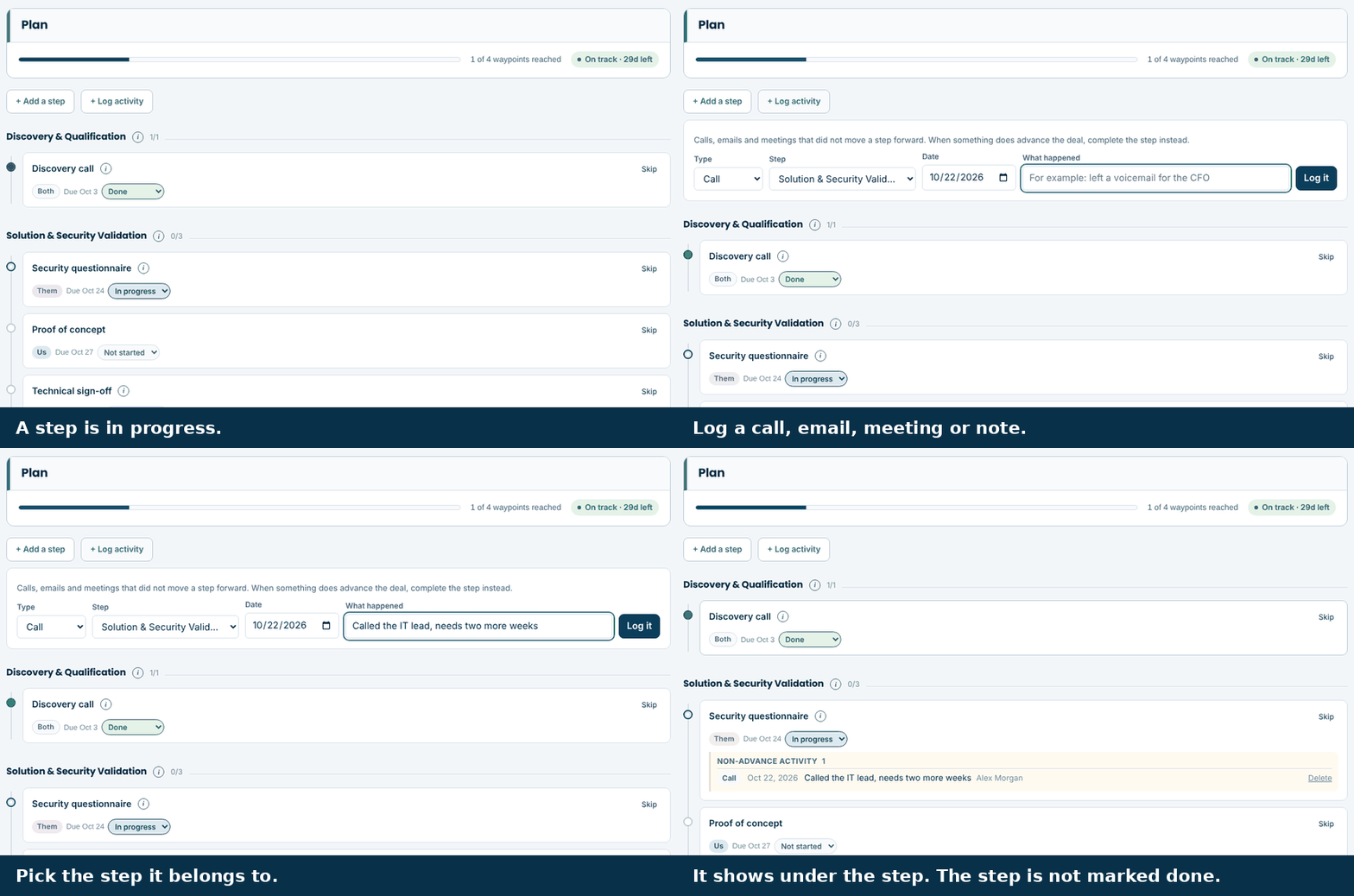 2 · Log the work
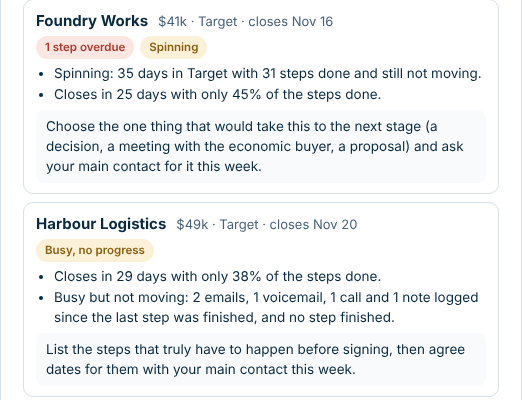 3 · Next best move
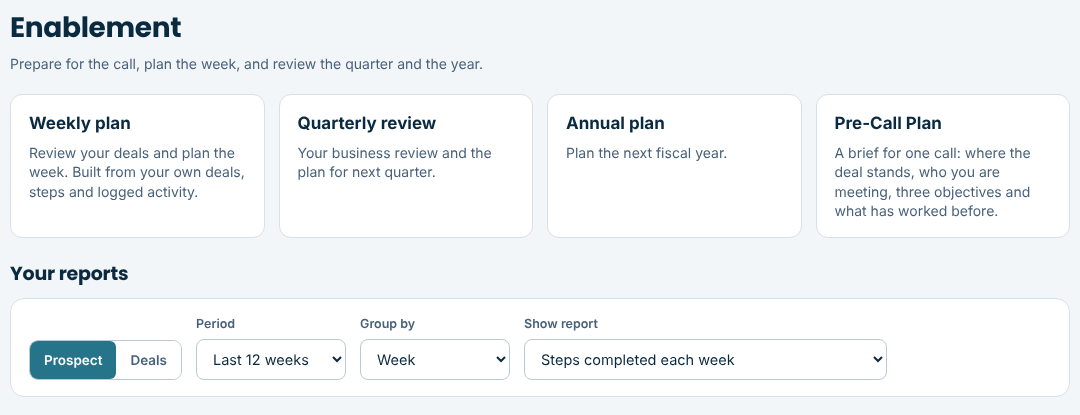 4 · Prepare
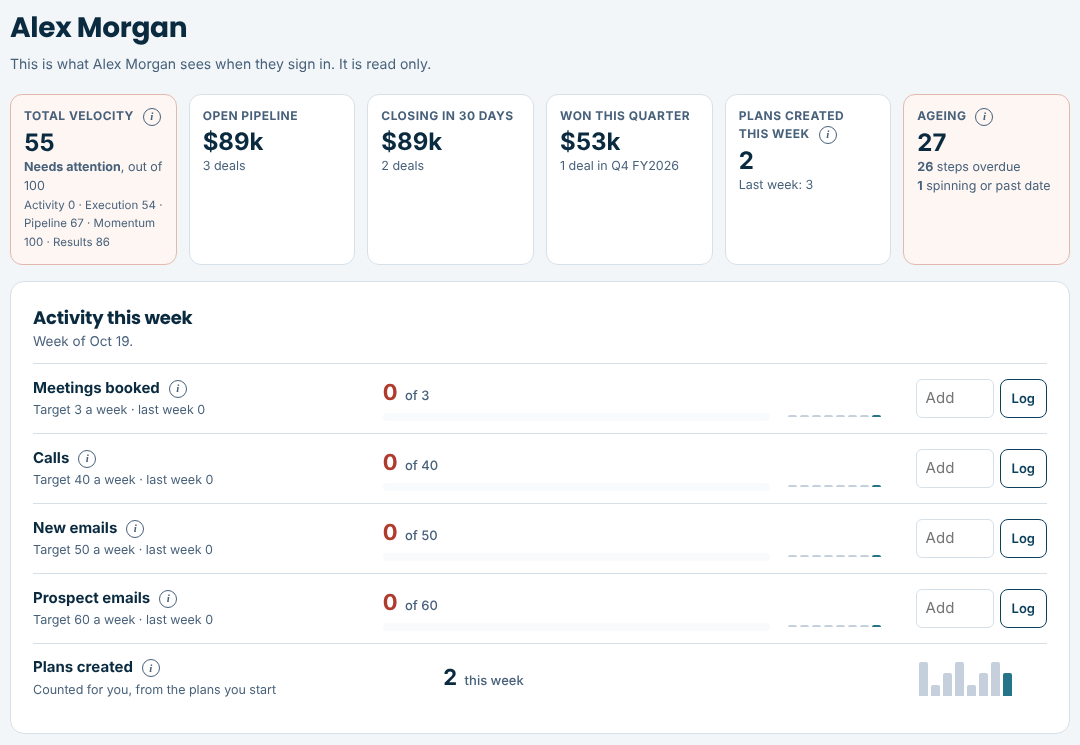 5 · My dashboard
1 of 5
My Plans
A plan for every deal, with an owner and a date on every step.
- Start from the step library, let the plan assistant draft it, or build your own
- Skip a step that does not fit (and say why), or add one of your own
- One buyer or several, each with their own role, style and concerns
- Know what is done, what is late and what comes next
Try it with sample data.
The demo is the real product with sample deals in it. Nothing you do there is saved.